

Best Service Business Appointment Scheduling Software

Every service business sells time in fixed increments. When a confirmed slot goes unbooked or a client fails to appear, that revenue cannot be recovered.
According to Technavio, the appointment scheduling software market is growing at a CAGR of 9.4% through 2029, reflecting how fast service businesses are moving away from manual coordination.
This guide evaluates the best service business appointment scheduling software based on operational control, verified pricing, and verified social proof.
What Is Appointment Scheduling Software?
Appointment scheduling software is an operational control system that converts inbound client interest into confirmed, capacity-aligned bookings.
It replaces manual coordination across calls, emails, and spreadsheets with rule-based automation.
The best service business appointment scheduling software connects:
- Staff availability and service duration
- Client intake qualification before slot confirmation
- Deposit and payment collection at the time of booking
- Automated reminders reducing no-shows
- CRM integration storing structured client data against every confirmed booking
An appointment booking system for business prevents overbooking, enforces cancellation policies, and standardizes confirmation logic across your team.
When deployed correctly, automated scheduling software protects billable hours, eliminates preventable revenue loss, and separates platforms that enforce booking discipline from those that only display availability.
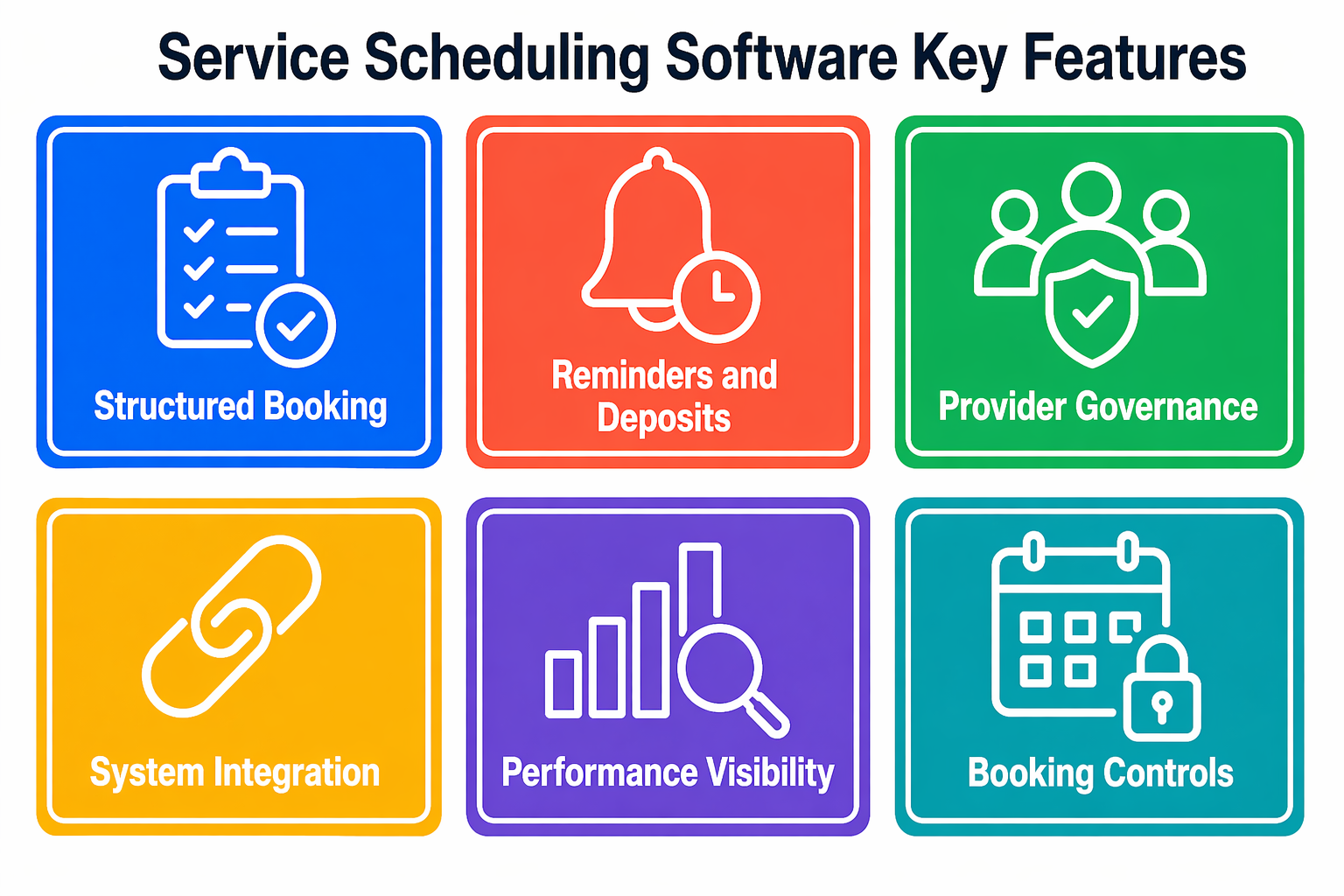
Key Features to Look for in Service Scheduling Software
The best service business appointment scheduling software must solve identifiable operational constraints. Evaluate features based on measurable impact on capacity, attendance, and revenue protection.
1. Structured Online Booking
Online booking software for service businesses must qualify demand before allocating confirmed times.
- Conditional intake fields capture service type and urgency before confirmation
- Variable duration logic assigns accurate time blocks based on service complexity
Qualified intake reduces rework and schedule compression before a session begins.
2. Automated Confirmation and Reminder Systems
Attendance protection directly impacts realized revenue per available hour.
- Automated scheduling software sequences confirmation and reminder messages based on appointment value
- Deposit integration attaches financial obligation to premium time blocks before the slot is secured
3. Multi-Provider and Resource Governance
Service capacity depends on both personnel and physical assets simultaneously.
- Role-based permissions ensure only qualified providers appear for specific service types
- Resource mapping prevents double allocation of rooms, vehicles, or specialist equipment
4. System Integration Depth
- CRM synchronization links client history with every confirmed booking automatically
- Payment gateway integration enforces deposits and captures revenue at the point of scheduling
5. Performance Visibility
Calendar booking software must produce decision-grade metrics, not just calendar entries.
- Utilization tracking highlights idle time by provider and service category
- Revenue-per-hour reporting supports pricing adjustments and staffing decisions
Comparison Table
| Platform | Social Proof | Payment Support | Free Plan | Starting Price |
|---|---|---|---|---|
| Goodcall | 14-day free trial, no credit card required | Yes | 14-day trial | $59/month |
| Acuity Scheduling | 50,000+ businesses, 10M+ appointments annually | Yes | 7-day trial | $20/month |
| Calendly | 700+ integrations, used by IBM and Dropbox | Limited | Yes | Free |
| Square Appointments | Part of Square ecosystem used by 4M+ businesses | Yes (Square only) | Yes | Free/$29/month |
| SimplyBook.me | 100,000+ active users across 40 languages | Yes | Yes | Free/$13.90/month |
| Setmore | 200M+ appointments across 160 countries | Yes | Yes | Free/$12/user/month |
This comparison reflects structural differences rather than marketing claims. Your choice depends on intake volume, staff complexity, and payment requirements.
Best Appointment Scheduling Software for Service Businesses
Each platform below addresses booking control differently. Evaluate each platform against your primary operational bottleneck before selecting.
1. Goodcall
4.7M+ calls handled. 97% caller interaction rate.
Goodcall is an AI scheduling assistant that answers inbound calls when your team is unavailable, qualifies the appointment type, and books confirmed appointments directly into your calendar. It is the only platform in this list that captures phone-based demand before it reaches a booking page.
See how Goodcall works and how it automates inbound calls.
Key Features
- AI scheduling assistant answers inbound calls 24/7 and books confirmed appointments directly into your calendar
- Real-time calendar synchronization prevents double-bookings across staff and service categories
- After-hours call handling captures bookings outside business hours without additional staffing cost
- Call analytics revealing missed-call volume, peak inquiry hours, and booking conversion rate by day
- CRM data surfaced during every inbound call so the AI responds with full client service history
Integrations
Google Calendar, CRM systems, payment processors, Zapier automation platforms
Pricing
- Starts at $79/month for small teams
- Custom pricing for larger operations based on call volume and integration requirements
- 14-day free trial available with no credit card required
Pros
- Captures phone-based booking demand that web-only tools miss entirely
- Reduces missed-call revenue loss during active client sessions
- Handles after-hours and peak surge volume without front-desk staffing cost
- Integrates with existing calendar and CRM systems without replacing them
Cons
- Less focused on retail POS or inventory management features
- Does not replace a web-based booking portal for businesses where clients prefer self-scheduling online
Best For
Service businesses where inbound phone calls represent core booking volume and unanswered calls directly translate into lost confirmed appointments.
2. Acuity Scheduling
50,000+ businesses. 10M+ appointments processed annually.
Acuity is an appointment booking system for business that requires clients to complete structured intake forms and pay a deposit before a slot is confirmed. It processes over 10 million appointments annually across 50,000 businesses and is part of the Squarespace ecosystem.
Key Features
- Custom intake forms capturing service type, event details, urgency, and budget before confirmation
- Deposit and payment collection via Stripe, Square, or PayPal required before a slot is secured
- Automated multi-touch SMS and email reminder sequences reducing no-show rates
- Multi-calendar synchronization preventing cross-staff double bookings
- Client history database storing every intake response against each confirmed booking
Note: SMS reminders require the Growing plan or above. The Emerging plan supports email reminders only.
Integrations
Stripe, PayPal, Google Workspace, Zoom, Squarespace, CRM systems
Pricing
- Emerging: $20/month ($16 annually), one calendar
- Growing: $34/month ($27 annually), up to six calendars with SMS reminders
- Powerhouse: $61/month ($49 annually), up to 36 calendars with HIPAA compliance
- 7-day free trial available across all plans
Pros
- Highly flexible intake forms configurable per service type
- Strong payment and deposit enforcement before confirmation
- HIPAA-compliant tier for health and wellness providers
Cons
- No free plan, only a 7-day trial
- Advanced automation features locked behind higher pricing tiers
- Squarespace integration can feel restrictive for non-Squarespace websites
Best For
Consulting, wellness, legal, and appointment-driven service providers requiring structured intake and deposit enforcement.
3. Calendly
700+ integrations. Used by teams at IBM, Dropbox, and Zendesk.

Overview
Calendly is calendar booking software that adds structured booking workflows to existing calendars with minimal configuration. It supports over 700 integrations and round-robin routing logic.
Teams needing a booking portal deployed within one working day without complex operational setup choose Calendly first.
Key Features
- Round-robin team distribution routing bookings to the correct available staff member automatically
- Time zone detection preventing scheduling confusion for remote and distributed service teams
- Automated email and SMS reminders at configurable intervals before each confirmed appointment
- Buffer settings between appointments preventing back-to-back session compression
- Stripe payment integration for paid consultation sessions requiring upfront collection
Integrations
Google Calendar, Outlook, Salesforce, HubSpot, Zoom, Stripe, Zapier
Pricing
- Free: one active event type, unlimited one-on-one meetings
- Standard: $12/month per seat ($10 annually)
- Teams: $20/month per seat ($16 annually) with round-robin routing
- Enterprise: starts at $15,000/year
- 14-day free trial available on paid plans
Pros
- Fastest deployment of any platform in this list
- Strong integrations across CRM, video, and calendar platforms
- Free plan available for individual scheduling needs
Cons
- Limited deposit and payment depth compared to Acuity
- Less suitable for complex service businesses with intake qualification requirements
- Free plan restricted to one active event type
Best For
Teams and professionals needing straightforward booking workflows deployed quickly without complex operational configuration.
4. Square Appointments
Part of the Square ecosystem used by 4M+ businesses worldwide.
Overview
Square Appointments is online booking software for service businesses that connects scheduling directly to Square's POS, payment processing, and staff management tools. It is best suited to retail-oriented service businesses already operating within the Square ecosystem.
Key Features
- Fully integrated payment processing collecting payment at the time of booking confirmation
- Inventory and retail management connected directly to service booking records
- Staff management tools including shift scheduling, payroll, and performance tracking
- Online booking page creation shareable via website, social media, or direct link
- Waitlist management and cancellation policy enforcement on Plus plan and above
Integrations
Square POS ecosystem, Google Calendar, QuickBooks, Xero, Mailchimp, Zapier
Pricing
- Free: one staff member, unlimited appointments, Square payment processing
- Plus: $29/month per location, up to 5 staff, multi-location support
- Premium: $69/month per location, unlimited staff, resource scheduling
- Payment processing: 2.6% + $0.10 per transaction on all plans
Pros
- Only platform in this list with fully integrated POS and inventory management
- Free plan includes functional payment processing for solo providers
- Strong mobile app for managing bookings and payments on the go
Cons
- Payment processing locked exclusively to Square, no Stripe or PayPal
- Scheduling logic less flexible than Acuity for complex intake requirements
- Multi-location features require the Plus plan at $29/month per location
Best For
Retail-oriented and in-person service businesses already using Square for payments and point-of-sale operations.
5. SimplyBook.me
100,000+ active users. Available in 40 languages across global markets.
Overview
SimplyBook.me is automated scheduling software with over 70 modular feature add-ons. Pricing scales by monthly booking volume rather than staff count, making it cost-effective for multi-provider operations.
It supports 100,000 active users across 40 languages and is one of the best scheduling apps for service providers with complex requirements.
Key Features
- Modular feature marketplace enabling selective activation of only required capabilities
- Membership and package management for recurring service clients and subscription-based businesses
- Advanced notification systems with per-appointment-type reminder schedules
- Multi-location support with centralized management across all booking sites
- HIPAA compliance available on Premium tier for health and wellness providers
Integrations
Stripe, PayPal, Square, CRM systems, Google Calendar, Mailchimp, Zapier
Pricing
- Free: 50 bookings/month, 1 provider
- Basic: $13.90/month ($11.90 annually), 100 bookings, 5 providers
- Standard: $29.90/month ($24.90 annually), 500 bookings, 15 providers
- Premium: $49.90/month, 2,000 bookings, 30 providers
- Annual billing saves approximately 17%
Note: SMS credits are charged separately. Payment processing requires Standard plan or above.
Pros
- Most modular platform in this list, pay only for features you activate
- Strong multi-location support without enterprise-level pricing
- Supports 40 languages for internationally distributed service businesses
Cons
- Steeper learning curve due to feature breadth
- SMS credits charged separately on all tiers
- Booking volume limits can force plan upgrades during peak periods
Best For
Service businesses with complex booking requirements, multiple locations, or international client bases needing flexible feature control.
6. Setmore
200M+ appointments facilitated. Used in 160+ countries worldwide.
Overview
Setmore is service business management software built for small teams transitioning from manual diaries to digital scheduling. Its free plan supports four staff members with unlimited appointments and SMS reminders included, making it the most accessible entry point in this list for budget-conscious service providers.
Key Features
- Free core scheduling plan supporting up to four staff members with unlimited appointments
- Automatic SMS and email reminders included on free and paid plans
- Social media booking pages for Facebook, Instagram, and LinkedIn direct booking
- Multi-staff calendar support with individual staff login access on paid plans
- Video meeting integration via Zoom, Google Meet, and Teleport on paid plans
Integrations
Google Calendar, Outlook, Square, Stripe, HubSpot, Mailchimp, Zoom, Zapier
Pricing
- Free: up to 4 staff, unlimited appointments, basic reminders
- Pro: $12/user/month with two-way calendar sync, SMS reminders, and payment processing
- Annual billing available
Pros
- Most generous free plan of any platform in this list with 4 staff and unlimited appointments
- SMS reminders included on free plan
- Simple interface front-desk staff can learn within one session
Cons
- Two-way calendar sync requires the paid Pro plan
- Limited advanced automation compared to Acuity or SimplyBook.me
- Google Calendar sync reliability flagged in verified user reviews
Best For
Small service providers testing digital booking for the first time or teams needing multi-staff scheduling on a constrained budget.
How to Choose the Right Scheduling Software for Your Business
Selecting the best scheduling app for service providers starts with identifying your primary failure point.
Identify whether revenue loss originates from missed intake, attendance gaps, provider conflicts, or reporting blind spots.
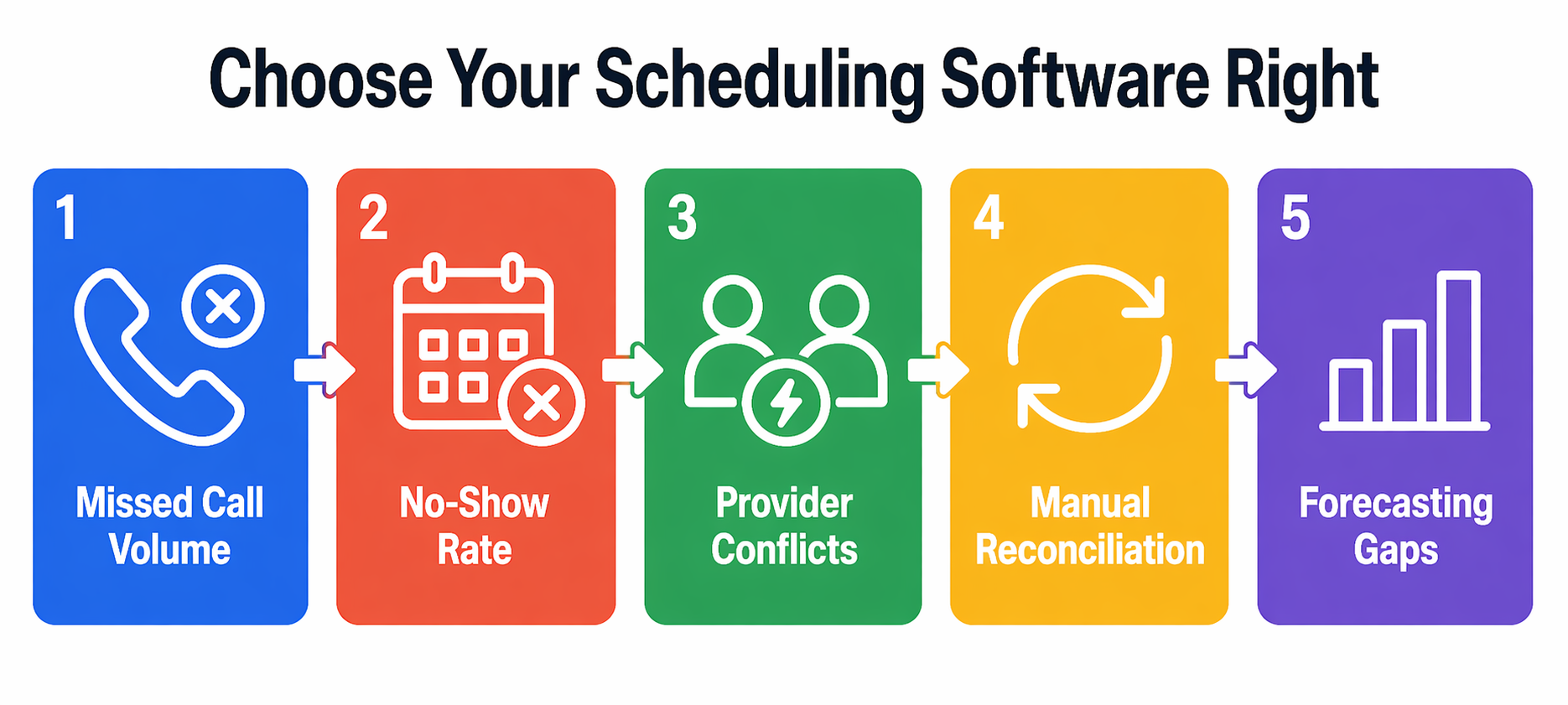
- If inbound calls convert poorly, prioritize an AI voice agent for appointment booking that books directly during first contact
- If high-value services experience no-shows, require deposit enforcement and multi-stage reminder sequencing
- If providers compete for shared assets, demand resource-level scheduling controls that check equipment alongside staff availability
- If manual reconciliation consumes staff time, ensure integration across CRM, payments, and accounting from day one
- If forecasting remains unclear, verify real-time utilization and revenue-per-hour reporting before committing
Test each platform using simulated peak demand before committing to any annual contract.
Benefits of Using Scheduling Software
The best service business appointment scheduling software produces measurable operational improvements across every revenue-generating role.
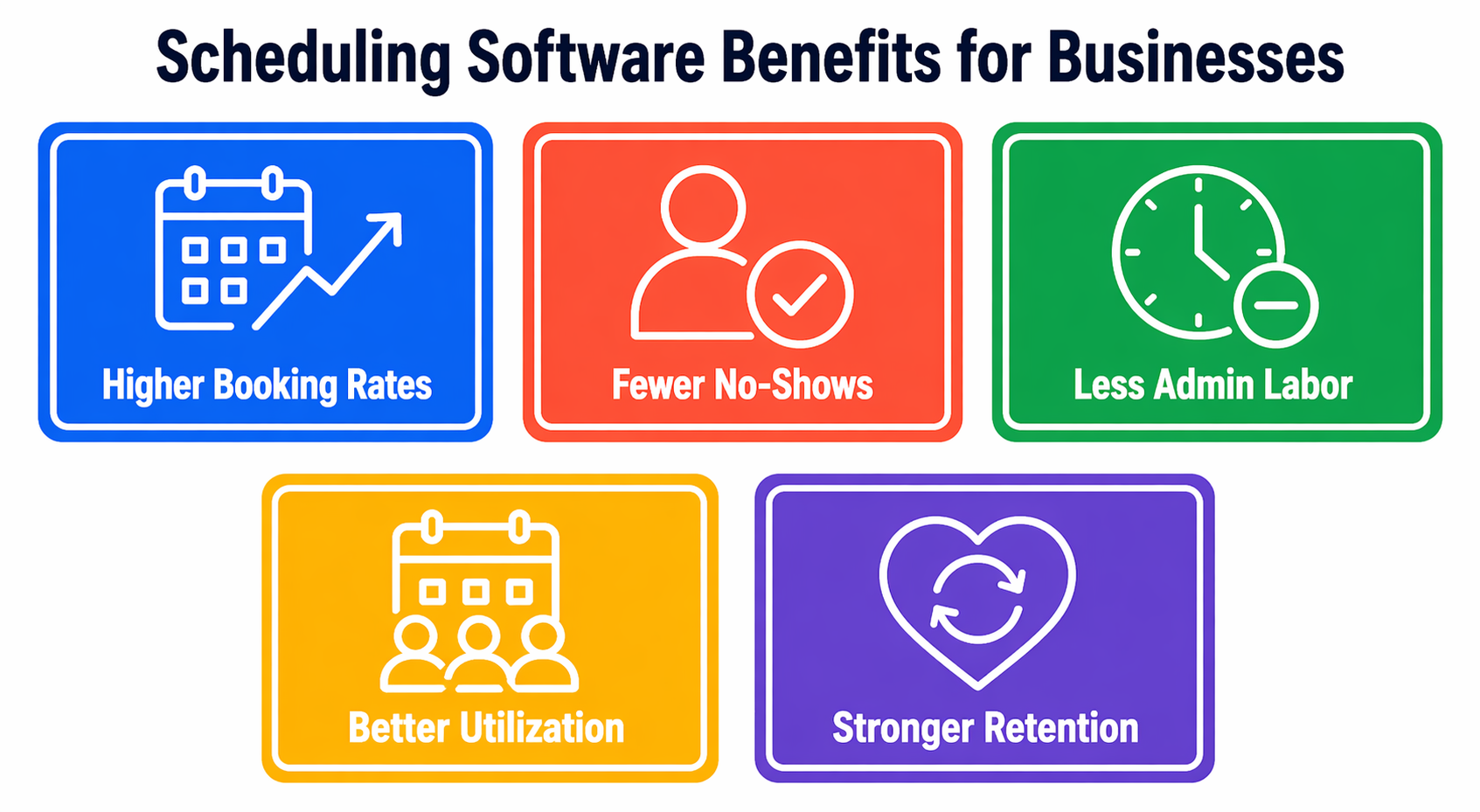
- Higher booking completion rates through online booking software for service businesses that qualifies demand before confirming slots
- Reduced attendance variance through automated scheduling software that enforces confirmation logic rather than relying on client self-motivation
- Lower administrative labor through a centralized appointment booking system for business that eliminates manual calendar reconciliation
- Improved provider utilization through capacity-aware calendar booking software that distributes workload based on skill and availability
- Stronger client retention driven by consistent, predictable booking experiences that reduce friction at every touchpoint
Operational stability improves revenue predictability across seasonal peaks and demand fluctuations.
Future Trends in Appointment Scheduling Software
Scheduling platforms are evolving from passive calendar displays to active revenue management systems. MarketsandMarkets projects the market will reach $803.7 million by 2030, growing at 13.8% CAGR, driven by AI integration across service industries.
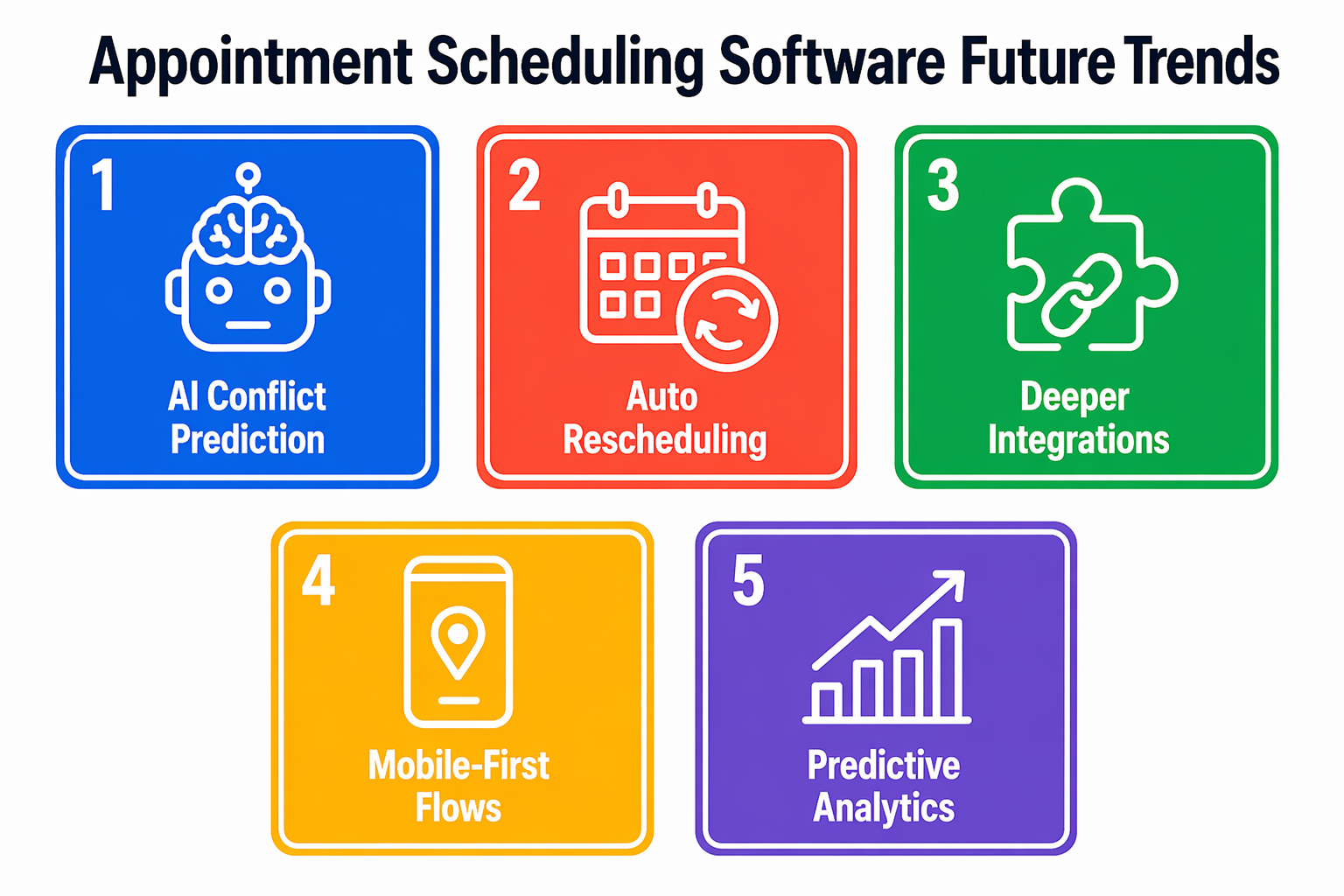
- AI scheduling assistant tools predict booking conflicts and recommend redistribution before overload occurs
- Automated rescheduling logic fills cancelled inventory without manual staff outreach
- Deeper integration with service business management tools centralizes operational data across booking, billing, and delivery
- Mobile-first booking flows prioritize field and distributed service teams managing appointments off-site
- Predictive demand analytics support seasonal capacity planning based on historical booking patterns
Automation depth and predictive intelligence will define the competitive advantage between platforms in the next two years.
Conclusion
The best service business appointment scheduling software aligns demand intake, capacity control, and financial commitment within one system.
Select automated scheduling software that reflects your revenue model.
Match the platform to your primary operational bottleneck, not its feature count.
If inbound calls are costing you confirmed bookings, see how Goodcall closes that intake gap and start your 14-day free trial.
FAQs
What is the best appointment scheduling software for service businesses?
The right platform depends on your process restrictions. Goodcall handles calls. Acuity handles intake. Calendly deploys fastest. Square integrates payments.
Is free scheduling software worth it?
Free plans suit small operations but limit automation depth and integrations that most growing service businesses need within twelve months.
Can scheduling software reduce no-shows?
Yes. Automated multi-touch reminders and deposit enforcement at booking are the two most effective mechanisms. Platforms requiring a deposit before confirmation consistently show lower no-show rates than reminder-only systems.
What features should I look for in booking software?
Structured online booking with intake qualification, automated reminders with deposit enforcement, real-time calendar synchronization, CRM integration, and revenue-per-hour reporting analytics.
How does AI improve appointment scheduling?
An AI scheduling assistant answers inbound calls, qualifies the caller, and books confirmed appointments directly into your calendar automatically.
Can I integrate scheduling software with my CRM?
Yes. Acuity, Calendly, SimplyBook.me, and Goodcall all integrate with major CRM platforms to centralize client and booking data against each confirmed appointment record.
What's the difference between Calendly and industry-specific tools?
Calendly handles simple team scheduling. Industry-specific tools add deposit enforcement, intake qualification, and operational reporting that Calendly's standard plans exclude.
How do I automate appointment reminders?
Configure SMS and email sequences at 72 hours, 24 hours, and 2 hours before each confirmed appointment automatically.